BLOG
Appknox now checks every build against App Store and Google Play rules, rates its rejection risk, and flags blockers with the fix. Free Android scan.



BLOG
 6 Mins Read
Product launch: Appknox now checks every uploaded build against Apple App Store and Google Play submission requirements, so blockers surface while you can still fix them.
Many mobile release processes have a security gate. Fewer have a store gate, so the first full check against Apple's and Google's rules often happens after the build is final and the date is public.
That's the gap Appknox Store Release Readiness closes. It checks every build you upload to Appknox against Apple App Store and Google Play submission requirements, so your team sees what could block approval before anyone opens the store console.
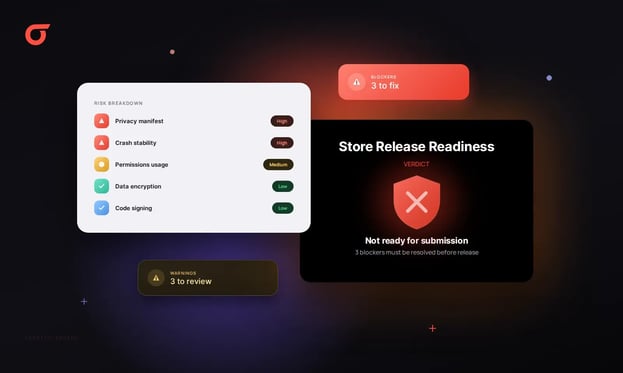
Appknox Store Release Readiness checks every build uploaded to Appknox against Apple App Store and Google Play submission requirements. It rates each app's Release Rejection Risk as High, Medium, or Low, then lists blockers and warnings with the evidence, the store policy they relate to, and the fix.
That means security, engineering, product and release teams all work from one view of what could hold the release back.
Store Release Readiness tests the shipped binary against the review rules each store publishes, from privacy declarations and permissions to billing and release settings. Each failed check is tied to the store policy behind it, so a finding reads as a fix to make, not a guess about what the reviewer wants.
|
Check area |
What it looks at |
Apple App Store |
Google Play |
|
Store-policy compatibility |
Whether the build meets the store's published app policies |
Yes |
Yes |
|
Release configuration |
The build and release settings the store reviews |
Yes |
Yes |
|
Permissions |
The permissions the app requests |
Yes |
Yes |
|
Network configuration |
How the app is configured to connect |
[confirm] |
[confirm] |
|
Billing requirements |
How in-app purchases and subscriptions are handled |
[confirm] |
[confirm] |
|
Components and services |
The components and services declared in the build |
Yes |
Yes |
|
Privacy and data handling |
How the app declares and handles user data |
Yes |
Yes |
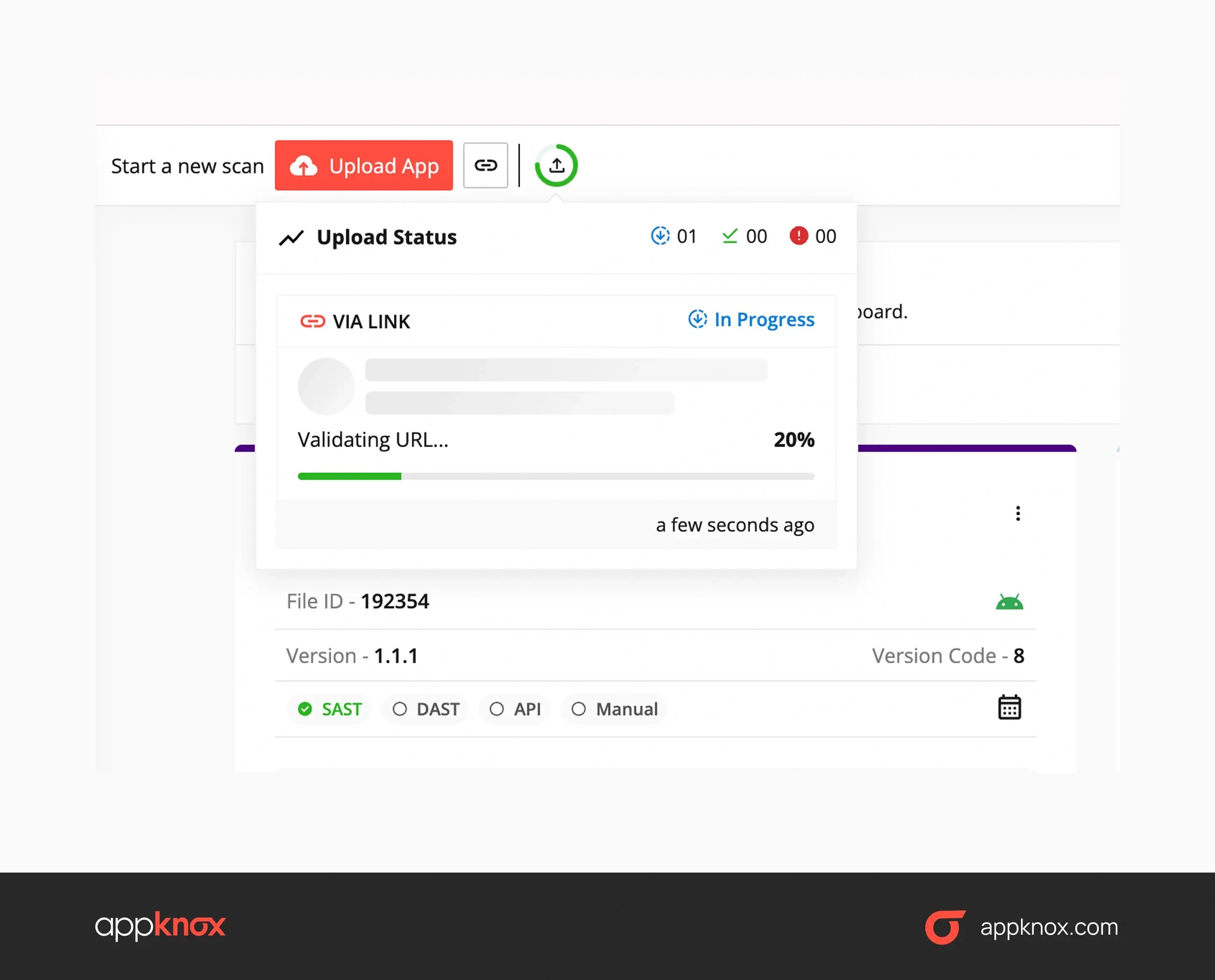
Upload a build to Appknox the way you already do. Store Release Readiness runs automatically, rates the app's Release Rejection Risk, and lists each failed check as a blocker or a warning, with evidence, the policy reference, and the remediation steps.
Store Release Readiness starts after you upload a successful build to cloud and on-premises Appknox deployments. Because Appknox analyzes the binary, your team doesn't need to share source code or repository access.
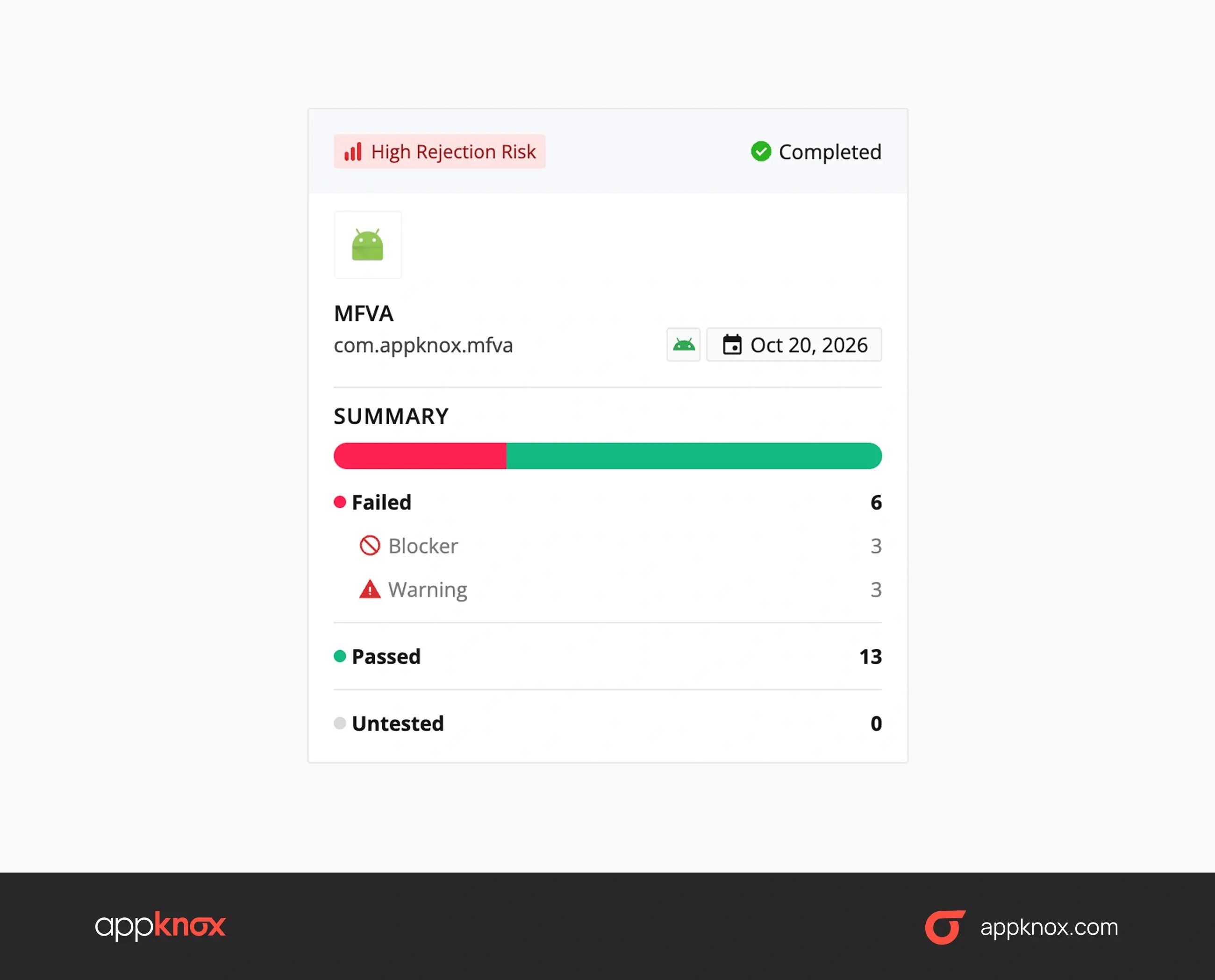
Each assessed app gets an overall Release Rejection Risk rating of High, Medium, or Low. That rating tells you, at a glance, whether this build needs work before anyone opens the store console.
Store Release Readiness sorts failed checks into two groups, so your team knows where to start.
|
Finding type |
What it means |
What to do first |
|
Blocker |
More likely to stop the app from progressing through store review |
Fix it before you submit |
|
Warning |
May raise review concerns, need clarification, or delay the release |
Fix it, or prepare the explanation the reviewer will ask for |
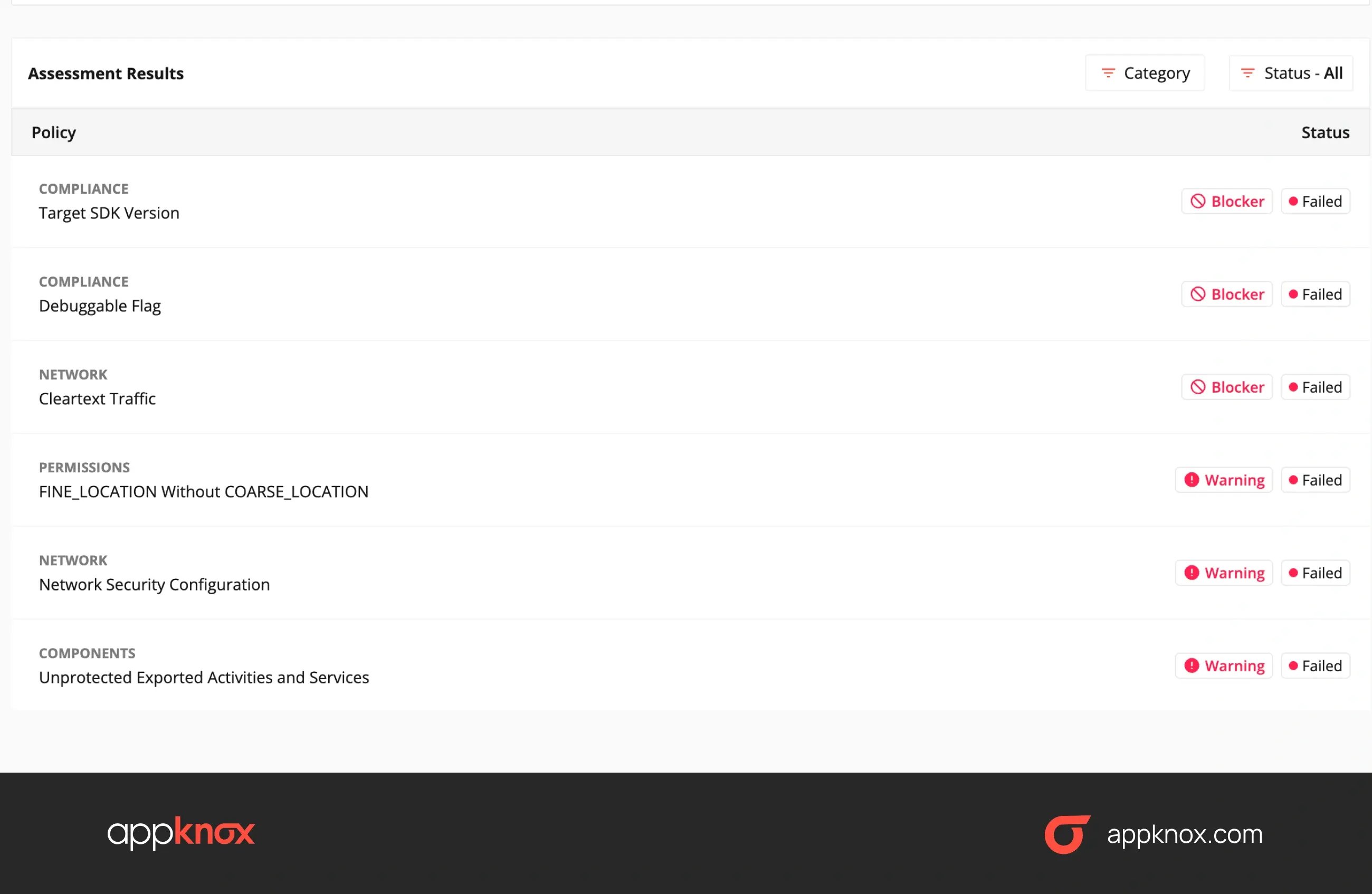
Every failed check comes with what your developers need to act on it, which means less time spent working out what the store wants. Each finding includes:
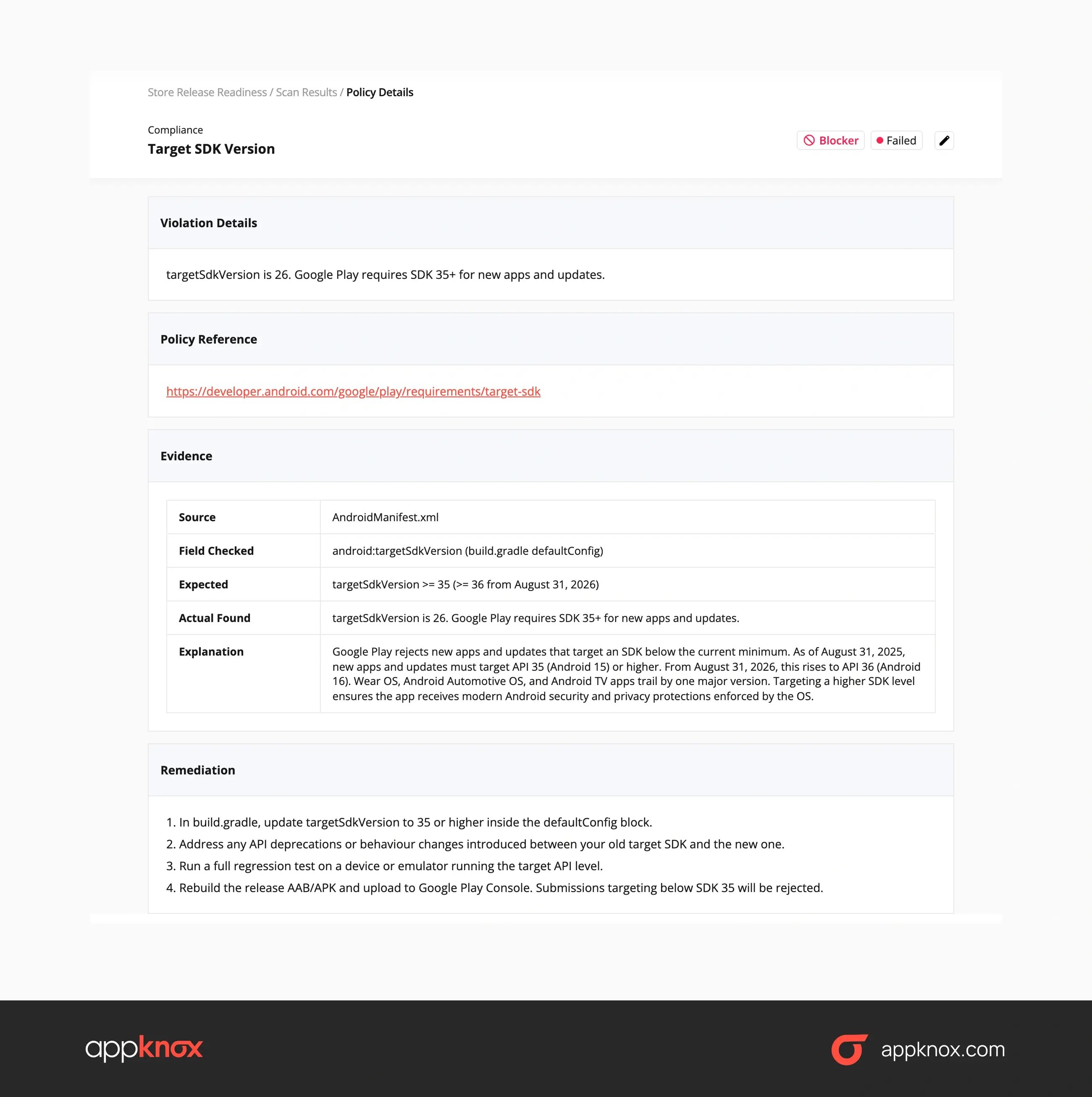
Some checks won't fit every app. You can ignore findings that don't apply to yours, which keeps the readiness view focused on what's real for this build.
Then re-upload the fixed build and compare its rating with the last one. Store Release Readiness also shows whether a build's readiness has improved over time, so you can see progress before the submission date.
Through the Store Release Readiness portfolio view. Teams search apps by package name and filter by platform and rejection risk, so the builds that need attention first show up across the whole estate, not one app at a time.
From there, the order of work is simple.
Start with the apps rated High and clear their blockers, then move to Medium-risk apps with a submission date coming up, because a warning on a build that ships next week matters more than one on a build that ships next quarter.
When a missed release date has a direct cost, a store rejection becomes a business problem.
Regulated and non-regulated industries feel that pressure in different ways:
|
Industry |
The release pressure |
What teams use Store Release Readiness for |
|
Banking and financial services |
Fixed change windows and several apps per brand |
Clearing blockers across every app in the window before submission |
|
Fintech and payments |
Frequent releases that touch billing and personal data |
Catching billing and privacy-declaration gaps early |
|
Retail and e-commerce |
Revenue that runs through the app, with sale-day launches |
Keeping seasonal releases on schedule |
|
Travel and hospitality |
Bookings that depend on the latest app version |
Making sure a new booking feature isn't held in review |
|
Healthcare |
Sensitive health data and strict privacy disclosures |
Matching data declarations to what the build collects |
These teams also share a security bar.
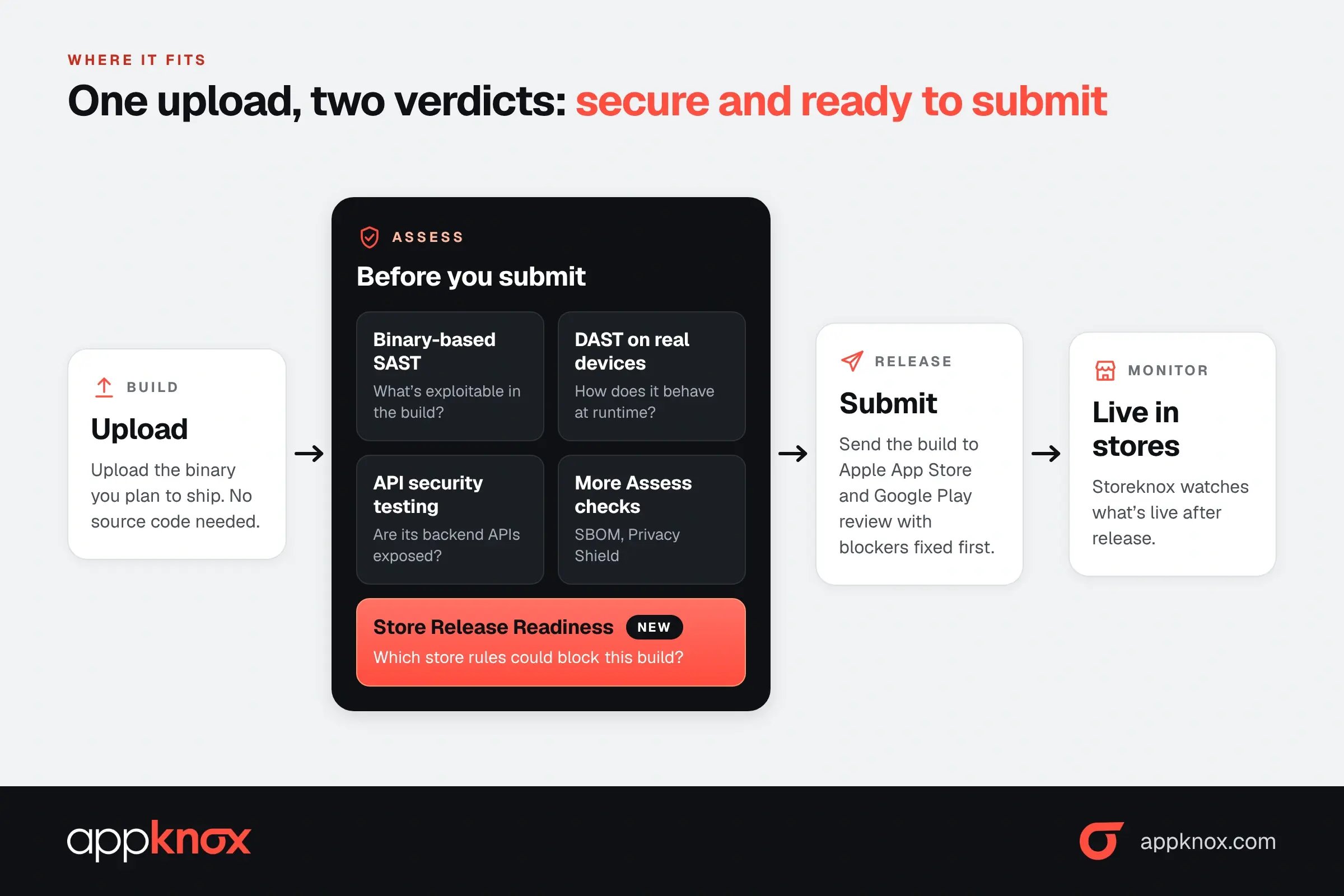
Store Release Readiness is part of Assess, alongside SAST, DAST, and API testing. Those three check whether a build has exploitable security issues, while Store Release Readiness checks whether the same build is ready to submit to the stores.
So one upload gives you two answers in one dashboard: is the build secure, and is it ready to ship?
Your team sees both before the release decision, not after the build reaches the store console.
|
Capability |
The question it answers |
|
Binary-based SAST |
What's exploitable in the build you ship? |
|
DAST on real devices |
How does the app behave when it runs? |
|
API security testing |
Are the backend APIs your app calls exposed? |
|
Store Release Readiness |
Which store requirements could block this build? |
Raghunandan J, Product and R&D Head at Appknox, puts it this way:
"A mobile application can be technically complete and security-tested, but still encounter delays because it does not meet an app store's submission requirements. Store Release Readiness gives teams earlier visibility into potential blockers and brings security and release confidence into the same workflow. The objective is simple: help teams know what could affect approval before they submit the build."
It's worth being precise about the limits, because a readiness rating is only useful if you know what it covers.
|
For the background on why secure builds still get rejected, Read: Why Your App Passes Security Testing but Gets Rejected at the Store. |
Appknox Store Release Readiness checks every build you upload against Apple App Store and Google Play submission requirements. It rates each app's Release Rejection Risk as High, Medium, or Low, then lists blockers and warnings with the evidence, the store policy, and the fix.
If you're an Appknox customer, you already have it on by default and at no added cost. If you're not a customer yet, you can run a free Store Readiness Scan on an Android build today.
|
Appknox customers |
Free Store Readiness Scan |
|
|
How to access it |
Upload a build in your Appknox dashboard |
Upload an APK or AAB on the scan page |
|
Cost |
Included at no added cost |
Free |
|
Store coverage |
Apple App Store and Google Play |
Google Play |
|
Deployment |
Cloud and on-premises |
Web upload |
|
What you get |
Release Rejection Risk rating, blockers, warnings, evidence, policy references and remediation guidance |
An on-screen verdict, a Store Readiness Snapshot by email, and an optional 15-minute remediation call with an Appknox specialist |
|
No credit card, no commitment. Just upload your APK or AAB and the scan does the rest, with no source code needed. Already an Appknox customer? Store Release Readiness runs automatically on your next build upload. |
No. Store Release Readiness flags likely blockers and warnings before you submit, so you can fix them early. Final approval stays with Apple's and Google's full review process.
Yes. The Appknox platform checks builds against Apple App Store and Google Play submission requirements. The free Store Readiness Scan covers Android builds and Google Play only.
No. Like the rest of Assess, it analyzes the binary you upload, so no source code or repository access is needed.
No. It's included for every Appknox customer at no added cost, on cloud and on-premise deployments.
It runs earlier and covers more. Pre-review checks run in Play Console once a release is there, while Store Release Readiness runs when you upload the build to Appknox alongside your security results, and it also checks Apple App Store requirements.
Hackers never rest. Neither should your security!
Stay ahead of emerging threats, vulnerabilities, and best practices in mobile app security—delivered straight to your inbox.
 Exclusive insights. Zero fluff. Absolute security.
 Join the Appknox Security Insider Newsletter!


